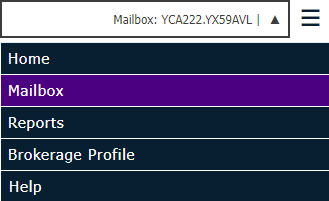
Mailbox Summary provides an instant view of your mailbox statistics.
Then select the Mailbox Summary tab.
The Mailbox Summary screen displays the following information:
Status
Mailbox: Name of the mailbox.
Mailbox Locked: A mailbox can become locked if multiple bad passwords are entered. It then has to be manually unlocked in Mailbox Setup by an administrator.
ECS Trading Partners
Trading Partner Set Memberships: Trading Partner Set Memberships each consist of a Lead Mailbox (the mailbox that initiates a trading partnership) and the mailboxes with which the lead mailbox has initiated partnerships.
Trading Partnerships: Trading Partnerships is the total number of mailboxes with which this mailbox can communicate (either sending or receiving files).
Note: Because most brokerage trading partnerships consist of the brokerage receiving files from a Lead Mailbox, the Trading Partner Set Memberships and Trading Partnerships numbers is typically equal.
Contents
Files Currently in Inbox: Displays the number of files currently displaying in your Inbox regardless of status within the last 120 days.
Files Currently in Inbox by Status: Displays a number breakdown of files for each status in the Inbox.
Sent: Displays the number of files that are in an active queue to be picked up by your brokerage management system.
Received: Displays the number of files that have been retrieved by and downloaded in your brokerage management system.
Available: Displays the number of files that were automatically placed on hold by Inbox Preference settings.
Hold: Displays the number of files that were manually placed on hold to delay being received.
Oldest Inbox File: Displays the date and time for the oldest file in your Inbox.
Newest Inbox File: Displays the date and time for the newest file in your Inbox.
Files Currently in Outbox: Displays the number of files currently displaying in your Outbox regardless of status within the last 120 days. For most brokerages, this displays as 0, since other than rare instances where batch upload is used, Outbox is for carrier use.
Files Currently in Outbox by Status: Displays a number breakdown of files for each status in the Outbox.
Sent: Displays the number of files sent from the mailbox.
Received: Displays the number of files that have been retrieved and downloaded by the receiver’s management system.
Available: Displays the number of files placed on hold automatically based on Inbox preferences. For brokerages, this displays as 0, since the Inbox Preferences feature does not apply to the Outbox.
Hold: Displays the number of files that were manually placed on hold to delay being received.
Cancel: Displays the number of files that you are stopping from being received.
Oldest Outbox File: Displays the date and time for the oldest file in your Outbox.
Newest Outbox File: Displays the date and time for the newest file in your Outbox.